
Kubernetes cost allocation per team, that the team cannot argue with.
Knowing what your cluster costs is the easy part, and free tools do it. The hard part is producing a per-team number that survives the moment a team disputes it. Kubalance attributes spend at the pod level from your real AWS bill, redistributes shared services by a rule you set, and charges idle capacity to nobody — so chargeback stops being a negotiation.
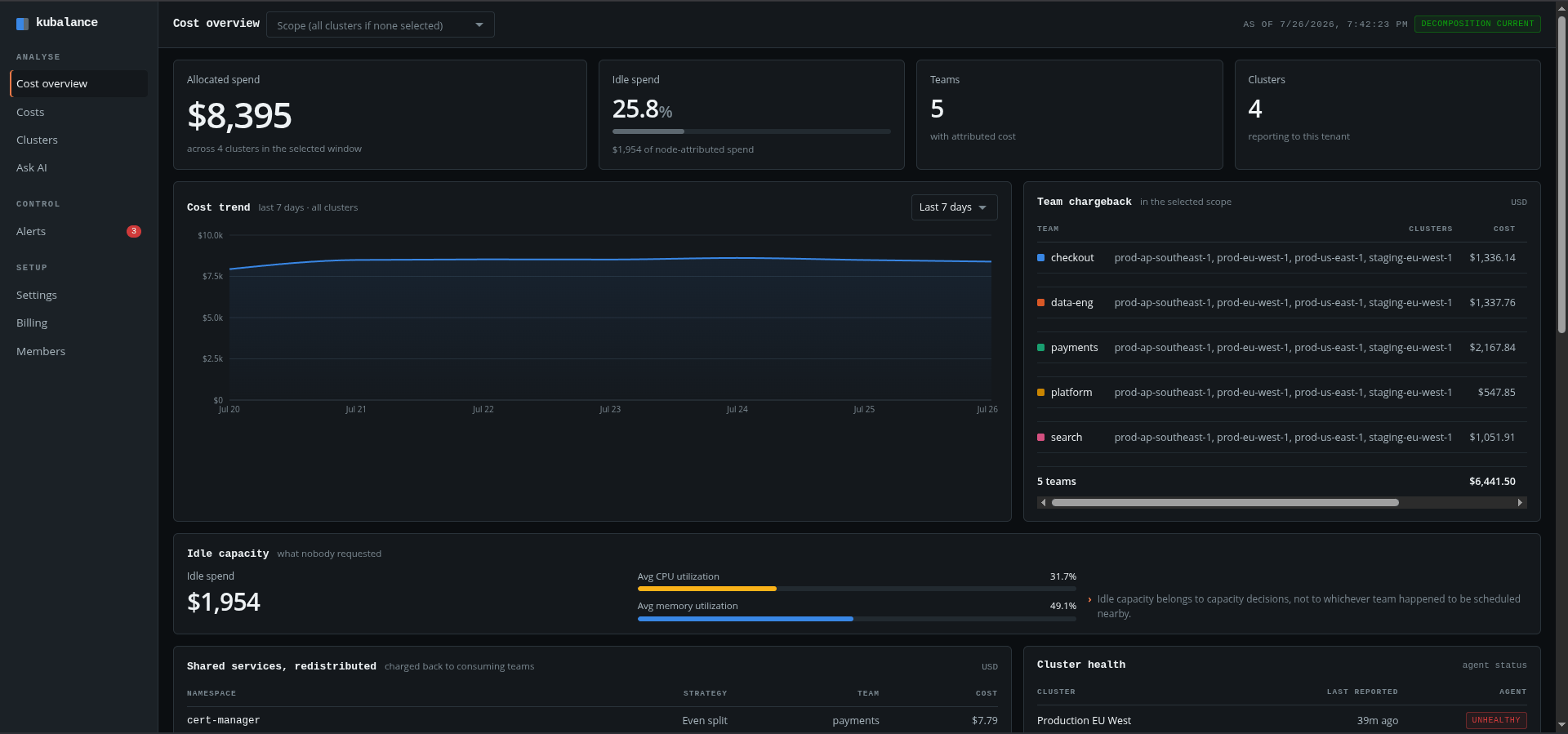
Finance asked you to split the cloud bill. Engineering disagreed with the split.
Cost visibility is a solved problem — AWS, OpenCost and Kubecost all show you what a cluster costs. What none of them settle is the argument that starts when you hand a team their share: shared namespaces nobody owns, idle capacity someone happened to be scheduled beside, and a proportional estimate that stops matching reality past the first few teams. Kubalance is built for that conversation rather than the dashboard.
From install to per-team chargeback.
Install the agent in your cluster.
One agent, running under a read-only ClusterRole. It makes outbound connections only — nothing needs to be opened inbound to the cluster.
We reconcile it against your real bill.
Pod and node usage collected by the agent is joined with your AWS Cost and Usage Report, so Savings Plans, Reserved Instances and Spot discounts carry through untouched.
See cost per team, and what nobody requested.
Cost broken down by team, namespace and cluster; idle capacity kept as its own line item; and shared services redistributed by a rule you set.
Everything a chargeback conversation needs to stop being a negotiation.
Pod-level cost attribution
Cost is not estimated from namespace proportions. It is computed from each pod's actual resource requests and usage.
Your real bill, not list price
Figures come from the AWS Cost and Usage Report, so teams see the effective rate you actually pay after Savings Plans and Spot.
Idle capacity is a line item
Capacity nobody requested is charged to no team. It is reported separately, with the amount recoverable by consolidating nodes.
Shared-service chargeback
Set an attribution strategy per shared namespace — proportional by requested resources, or an even split across consuming teams.
Cost per team
Every team's cost with the clusters behind it, exportable as CSV for whoever owns the budget conversation.
Budget alerts
Set a monthly budget by team, namespace or cluster, and get alerted as the threshold approaches rather than after it is passed.
Multi-cluster, one view
Production and staging clusters under one tenant, each with agent health and the time it last reported.
Period comparison
See cost spikes against the previous period, with the deploy that preceded the change named in the alert.
Read-only, narrow access
Pods, nodes, namespaces and pod metrics. Logs, Secrets and container contents are out of scope.
Inside the product
Kubalance screens, from per-team cost allocation through to budget alerts.
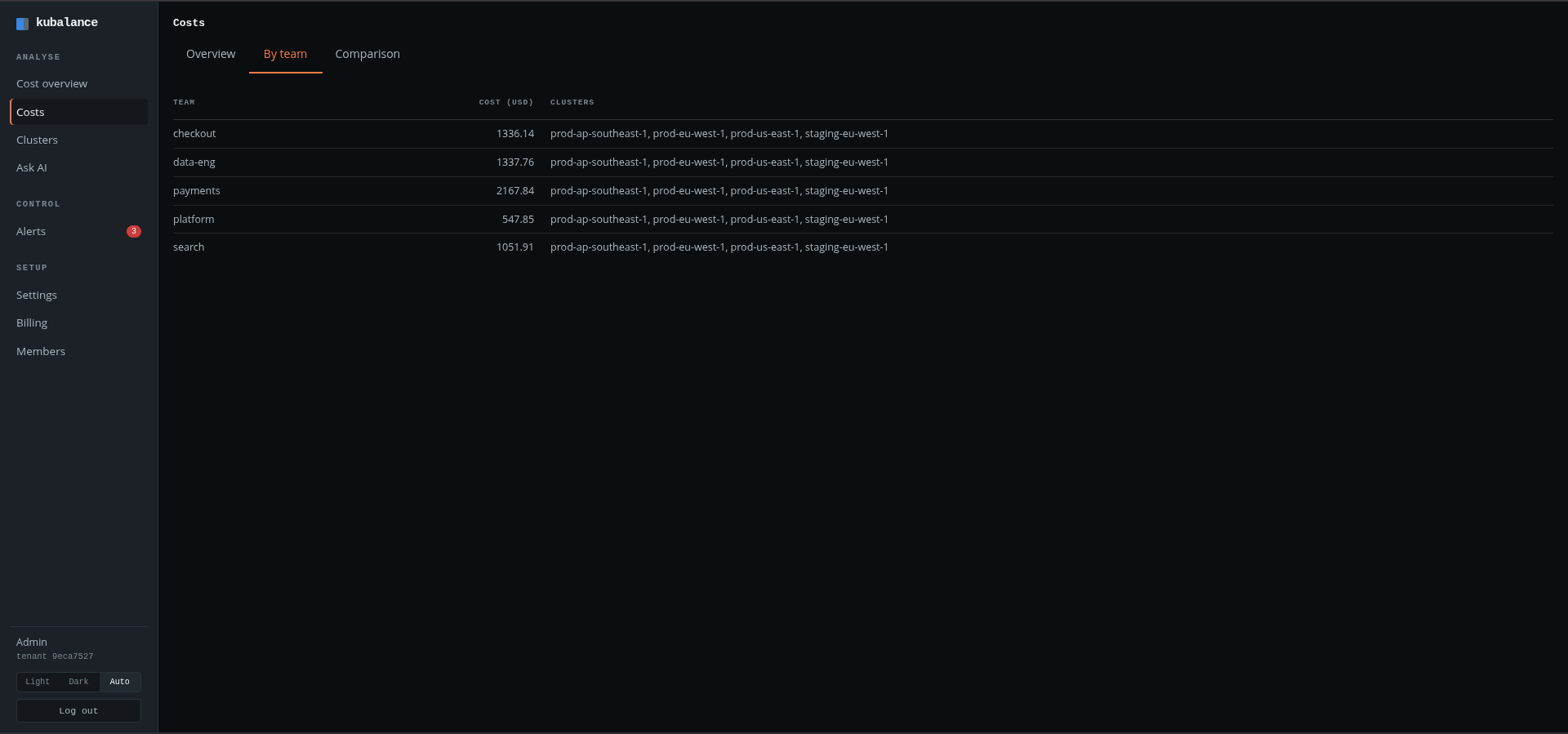
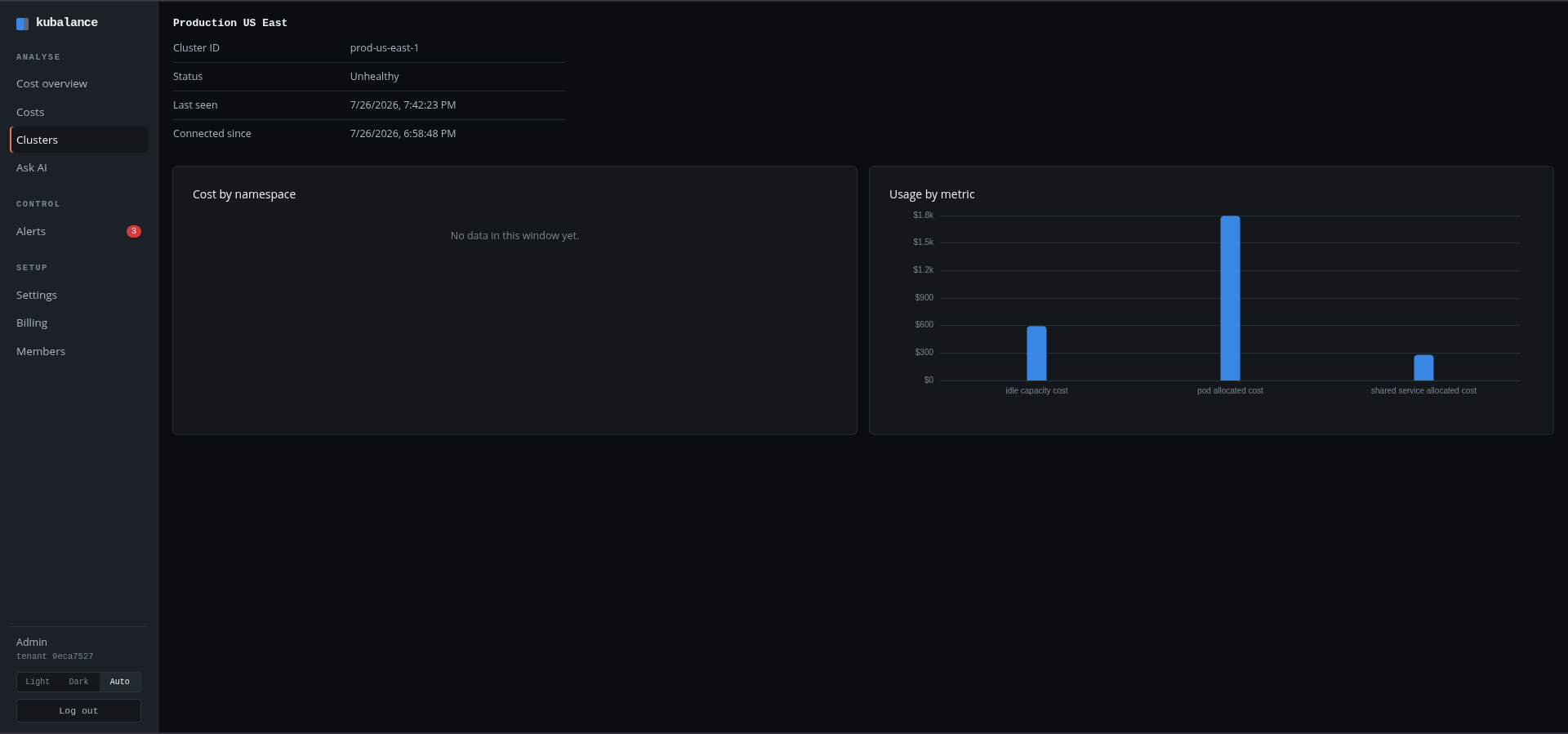
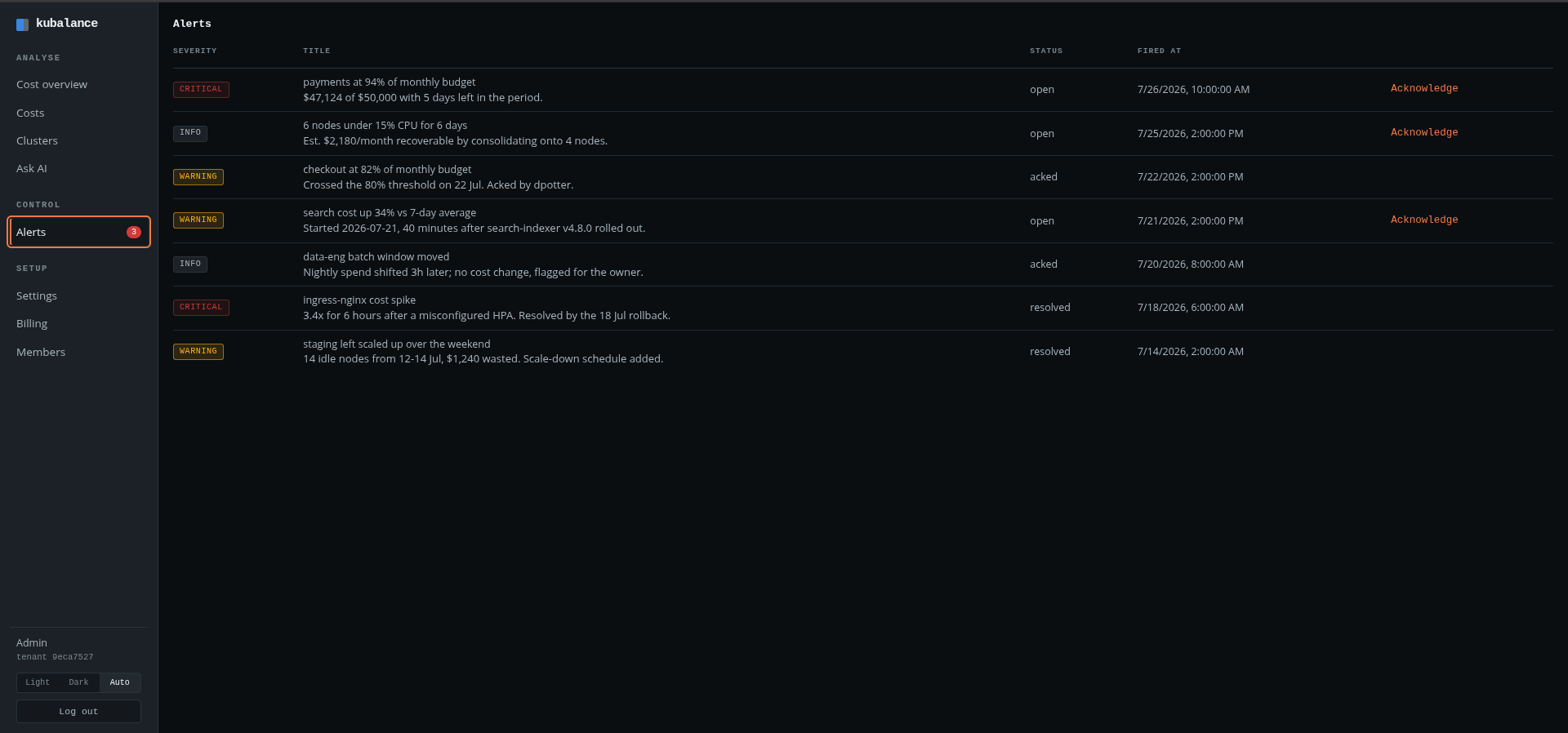
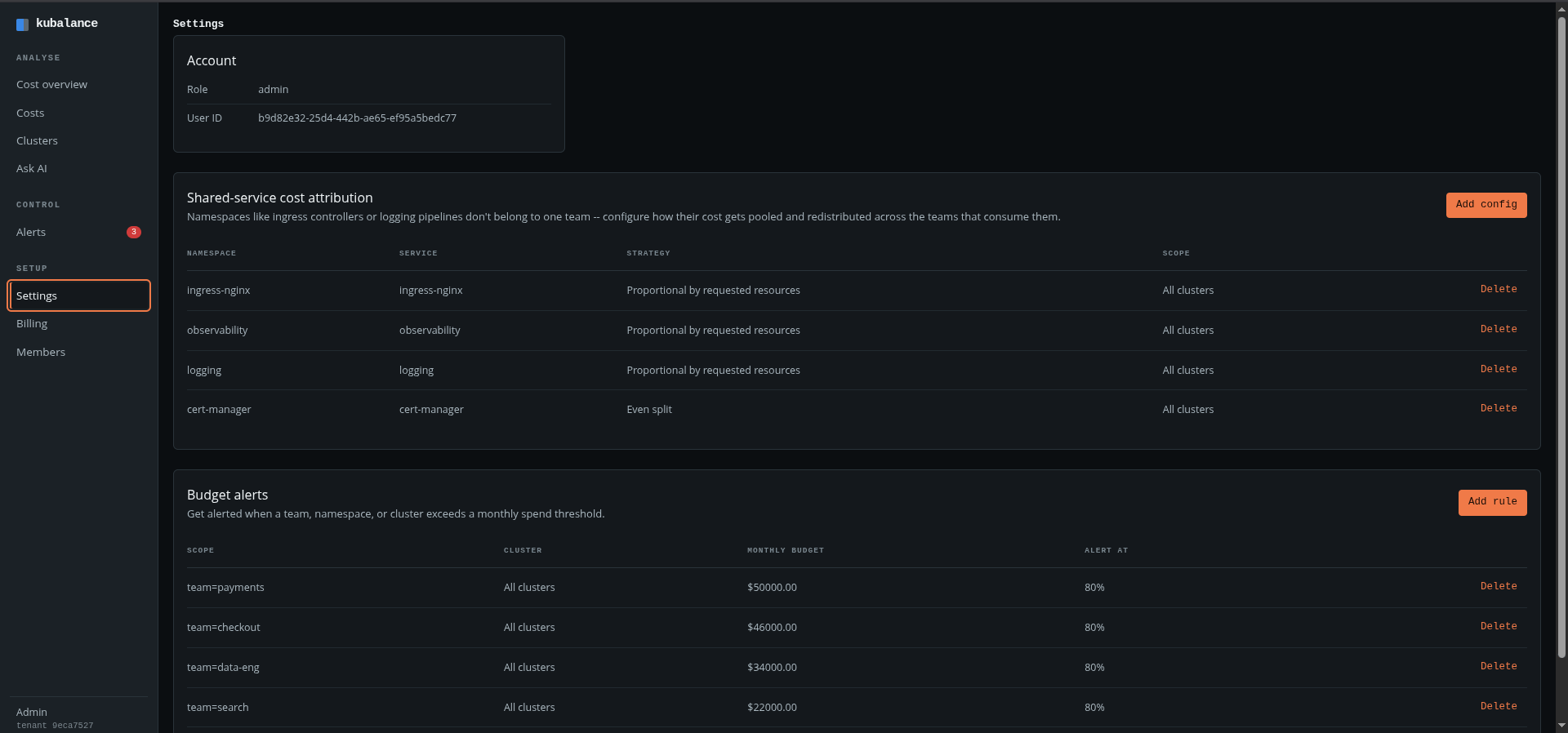
Everything the agent can see, on one list.
An agent that has to clear a vendor review should be able to show what it does rather than describe it. The Kubalance agent runs under a read-only ClusterRole and reads exactly four resources.
- pods — which pod runs on which node, with which resource requests
- nodes — instance type and capacity
- namespaces — to map teams and shared services
- pod metrics — actual CPU and memory usage
Container contents, logs, Secrets and application traffic are all out of scope. The agent only makes outbound connections.
A namespace proportion is an estimate. It is not a bill.
Telling a team their namespace was 18% of the cluster invites an argument the moment they run their own numbers. A figure computed per pod, from the amount you were actually charged, survives that scrutiny: which pod, on which node, at which rate. Chargeback only works once it stops being disputable.
Idle capacity belongs to capacity decisions, not to whichever team happened to be scheduled nearby.
Frequently asked questions
They answer a different question. OpenCost and Kubecost tell you what a cluster and its namespaces cost — genuinely useful, and free to start with. Kubalance is built for the step after that: producing a per-team figure that holds up when the team disputes it. Shared namespaces are redistributed by a rule you set, idle capacity is charged to no team, and every number comes from the amount you were actually invoiced. If nobody is being charged back yet, you may not need us.
It is a reasonable starting point, and it is native: it splits EKS pod costs by requested CPU and memory inside Cost Explorer. Where it stops is the part that causes arguments — shared namespaces like ingress or logging still need a policy, idle capacity still needs an owner, and neither the reasoning behind a number nor an alert when it moves lives anywhere your teams will see it. If your split goes uncontested, use it.
Namespace-level allocation works while one namespace maps to one team. Past roughly 10 teams, namespaces get shared, teams spread across several of them, and proportional estimates drift away from real consumption. Kubalance attributes cost at the pod level, from actual requests and usage.
The agent runs on any conformant Kubernetes cluster, wherever it is hosted. Billing reconciliation currently reads the AWS Cost and Usage Report, so allocation against a real bill applies to EKS today. GKE and AKS clusters can be monitored on usage data.
Costs come from the actual amounts in your AWS Cost and Usage Report, not from list price. Whatever effective rate you pay after Savings Plans, Reserved Instances and Spot is what teams see — otherwise you would be charging everyone for money you never spent.
A read-only ClusterRole covering four resources: pods, nodes, namespaces and pod metrics. It has no access to container contents, logs, Secrets or application traffic. The agent only makes outbound connections; nothing needs to be opened inbound to the cluster.
You decide. Each shared namespace gets an attribution strategy — proportional by requested resources, or an even split across teams. Shared cost then reaches the teams consuming it through a rule nobody has to argue about.
None of them. Idle capacity is reported as its own line item, because it is the result of a capacity decision rather than of whichever team happened to be scheduled nearby. The platform team owns it, and the amount recoverable by consolidating nodes is shown alongside it.